Microphone Priority List


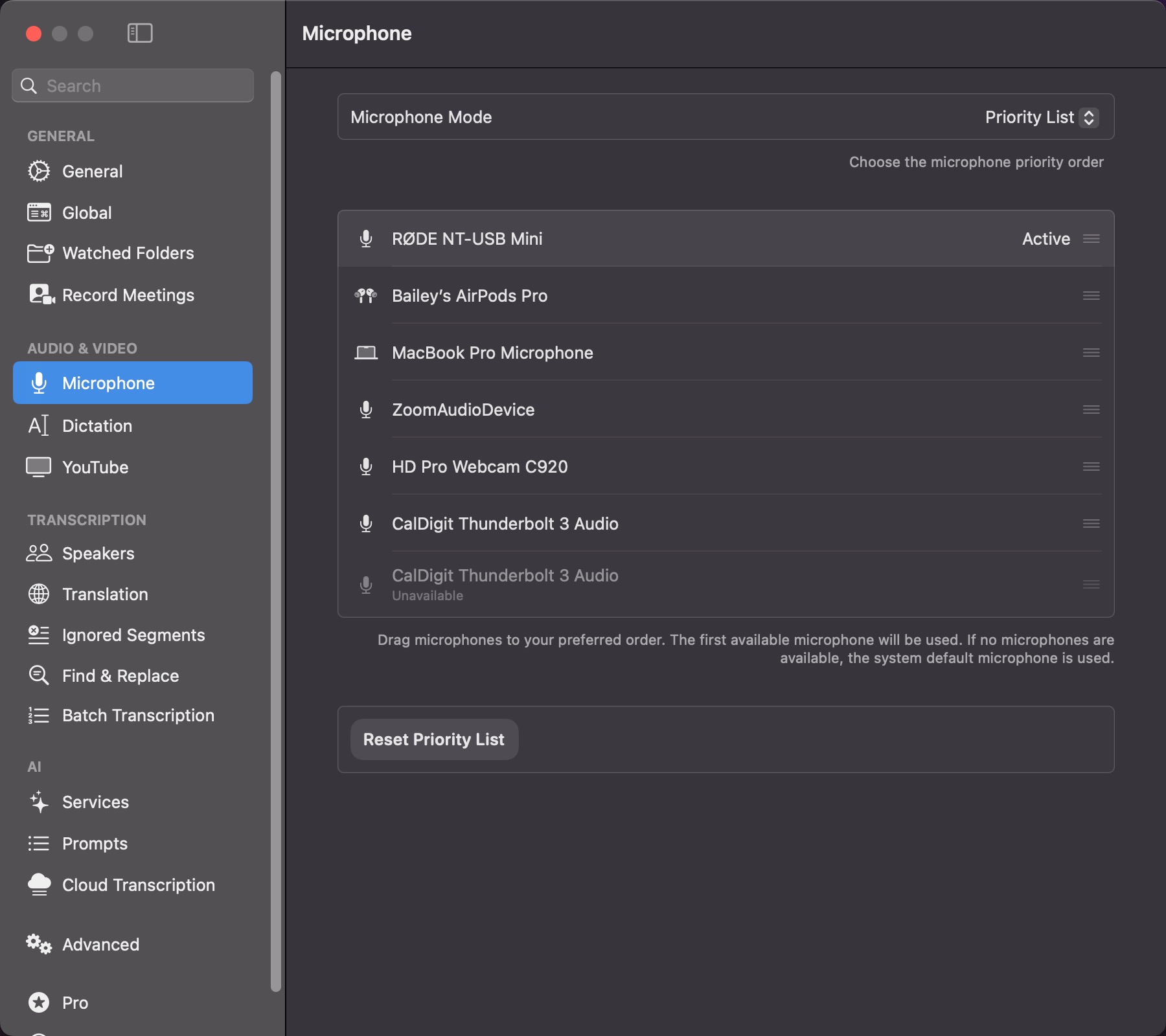
+1 on this. SuperWhisper frequently picks up virtual input devices like Microsoft Teams or Zoom as the active microphone, which don't work for dictation at all. Every time it happens I have to manually switch to a working microphone before I can use the app, which is super annoying! A priority list would solve this perfectly: being able to rank microphones (e.g. external USB mic first, then AirPods, then the built-in MacBook mic) and have SuperWhisper automatically pick the highest-ranked available device would eliminate the manual switching entirely. Even better if virtual inputs like Teams or Zoom could be excluded from the list altogether. MacWhisper already offers this, and it genuinely makes a big difference in day-to-day usability. For context, I'm a lifetime license holder and would love to see this prioritized.
Definitely. I have 4 not-real audio input sources on my mac that I want to exclude entirely from Superwhisper. Prioritizing them to end of the list is nearly the same thing. Why: My Thunderbolt dock registers a USB input and output device, which somehow Mac prioritizes over seemingly everything. Zoom, Teams, Splashtop remote control also show as input sources. I badly want to exclude them entirely to declutter the top bar's inputs choices. I'd take a priority list approach for sure. Though I'd love to entirely hide chosen ones also.
+100. Some sort of microphone auto-select or prioritization seems like a very intuitive UX that Superwhisper should prioritize (no pun intended). Of the demographic that uses a tool like this, I'm sure many of us don't just work from one setup all the time: sometimes I'm on my laptop on the go, other times I'm at my workstation with a dedicated mic. Still other times I have my AirPods in and want to use those when I'm outside. Right now, I have to go into the app or the drop-down and change my microphone every single time. There's only two to three different scenarios where I would want different microphones and depending on their availability, it's pretty clear which ones should be selected. As another datapoint, VoiceInk also has this feature.
Another vote for this feature. When my MacBook is connected to my Studio Display, I use that microphone because the MacBook is closed. When the MacBook is being used on its own, I need to use its native microphone.
Yes, please add this feature! I'd love to have a microphone priority list too! MacWhisper already does this and it works great - would be awesome to see it here too! 👍
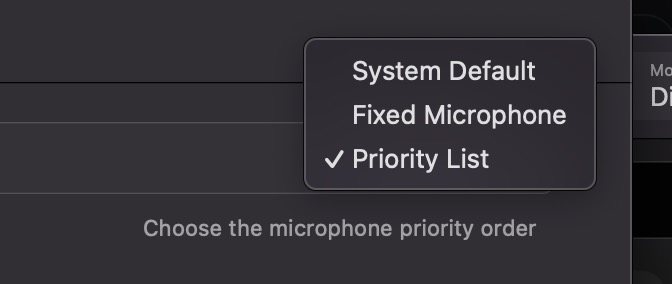
I have the same problem. I always use the built-in microphone on my MacBook, but for example, when I turn off the screen without closing the lid (thanks BetterDisplay), the microphone automatically switches to another one. In this case, it switches to my iPhone's microphone. This makes no sense because I still want to use the MacBook's built-in mics. They are the best, even when I'm using external headphones. I would like to have an option to set the MacBook microphone as the permanent default.